SYC-AI
Claude plans. Free AI models build it.
Your Claude or Codex writes the plan — more than 80 free AI models do the typing, strongest first.
A Claude or Codex subscription runs out fast because it types every line. With SYC-AI your own Claude or Codex only reads the project and writes a step-by-step plan; free AI models, tested and ranked every day, then build it in your files, step after step, until it is done. When one free quota runs out, the next model carries on. No subscription at all? Free models alone work too.
Free for every account · 800 free-model requests a day · Android, Windows · English · 中文 · Español · العربية · Русский · فارسی

Free Professional FREE
No subscription? Code anyway. More than 80 free AI models in one session, tested and ranked every day: it starts on the strongest, and when a free quota runs out the next model carries on in the same files. Pick any model yourself, or let Claude or Codex write only the plan while free models do the work. Free for every account, no API key needed. How it works
SYC-AI — All in One
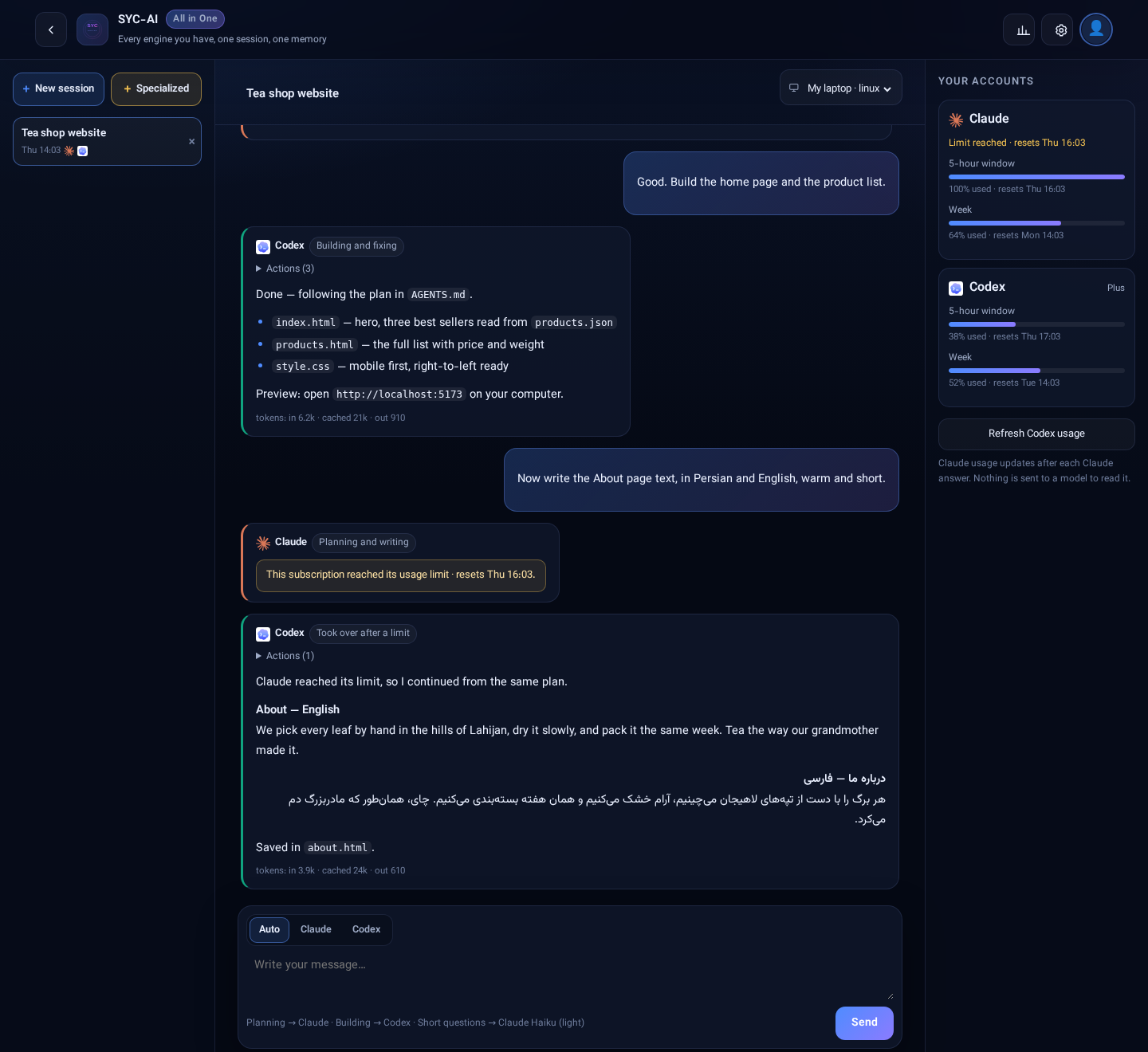
One session for all your engines. Each message goes to the one that suits it; the work keeps going when a subscription hits its limit; the usage of every account sits beside the conversation.
What you can do
Ordered by what people ask for most when they work with AI coding agents.
How it works
Get SYC-AI — three ways, one account
Web
Any browser: your profile, plan and devices. Professional accounts run in the app.
Open app.syc-ai.comWhere your data lives
Plainly, so you can decide.
Stays on your computer
- Your Claude and OpenAI logins (the CLIs keep them)
- Your files and projects
- The commands the agents run
On our servers
- Your SYC-AI account (email, username, password hash)
- Your session history, so you can continue on any device
- Device names, alerts and support tickets
Your controls
- Pause or remove SYC Node any time (
syc-node pause,syc-node uninstall) - Download your account data from your profile
- Read the privacy notice
Questions
Is it free?
SYC-AI (Main) is free during the launch. Paid editions come later; the price is shown before anything is charged, and payments are not open yet.
Which AI accounts work?
Claude (Claude Code) and Codex work end to end today. Gemini, Cursor and Kimi: sign-in is available, chat is coming. You use your own accounts with each provider, under that provider's terms.
Do I need a server?
No. Your Android phone or Windows PC is enough.
What exactly does SYC Node do on my computer?
It keeps a connection to your SYC-AI account and starts the AI CLIs you installed from the panel. It refuses any other program, only reads and writes inside its own folder (~/.syc-node), writes every request to a local log (syc-node log), can be paused, and its source code is public.
Is my code sent to you?
Your files stay on your computer. The conversation — your messages and the agent's replies, which can quote parts of files — passes through syc-ai.com and is kept in your session history so you can continue on another device.
Can I host the whole panel myself?
Ask us at syc@syc-ai.com.
Is SYC-AI affiliated with Anthropic, OpenAI or Google?
No. SYC-AI is an independent product. Claude, Codex, Gemini, Cursor and Kimi are trademarks of their owners.